Connect your AI.
Connect once. Use the skills in your library.
Use the Skillset account you bought your skills with.
Sign in 🔑1Choose your AI
2Add Skillset to your AI
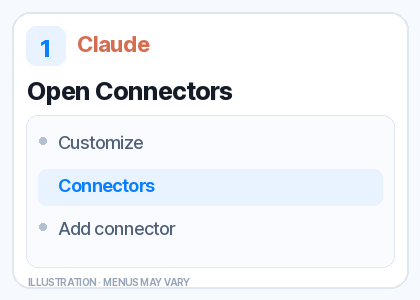
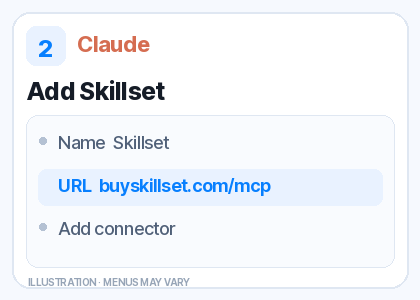
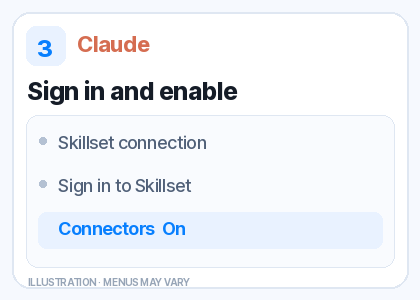
Watch the 15-second Claude guide
Illustrated steps; menus may look different on your device.
Workspaces may need an owner to add it first. Claude’s guide 📖
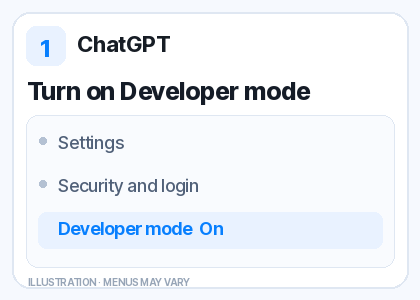
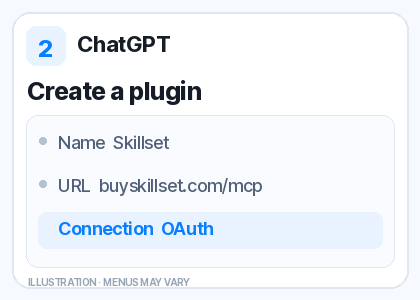
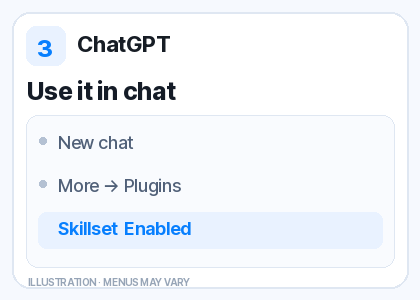
Watch the 15-second ChatGPT guide
Illustrated steps; menus may look different on your device.
Availability depends on your account and workspace permissions. ChatGPT’s guide 📖
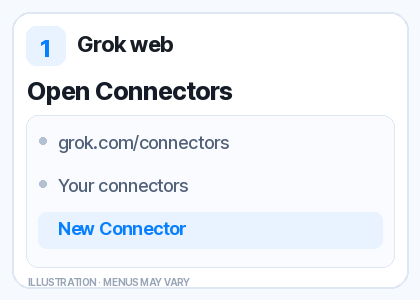
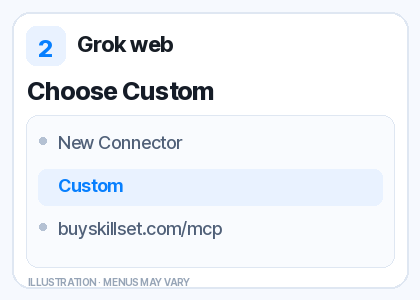
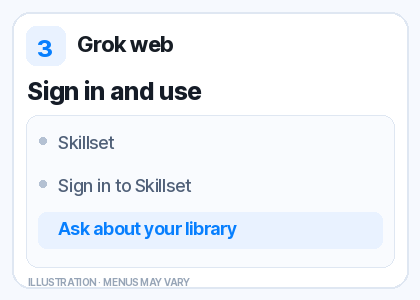
Watch the 15-second Grok web guide
Illustrated steps; menus may look different on your device.
Grok Bot uses Marketplace plugins; Skillset is not listed there yet. Use Grok on the web. Workspaces may require an admin. Grok’s guide 📖 · Bot guide 📖
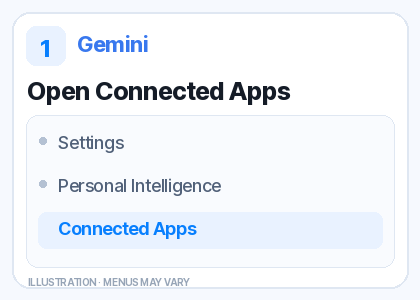
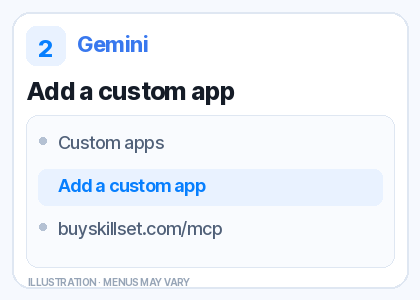
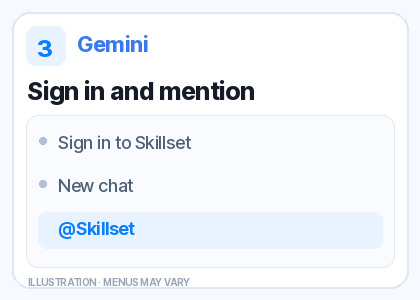
Watch the 15-second Gemini guide
Illustrated steps; menus may look different on your device.
Requires an eligible personal Google Account, age 18+, US location, English, and Keep Activity on. Connect first on the web. Gemini’s guide 📖
More AI apps & developer tools
3Paste this into your chat
Show my Skillset library and suggest relevant catalog skills. Let me choose one I can access, then load it fully, confirm its name, and help me use it.
How to tell it’s using your skill: look for Skillset tool activity and the “Using [skill name] from Skillset” confirmation in your chat. Connecting an app alone does not load a skill.
Want to sell a skill through your AI?
When connecting, approve creator access. Then tell your AI:
Help me turn my workflow into a Skillset skill. Show me the instructions and price, save a private draft, and submit it for review only when I ask.No .md upload is needed. Every submission gets a security scan and human review; paid skills also need Whop payout setup before they go live. Existing library-only connections need to reconnect for creator access.
See the creator flow 💸Connected apps
Sign in to see and manage connected apps.
These apps have library access. Revoke stops future access; instructions already shared may remain in chat history.